Smart home technology is evolving rapidly. The Homematic IP app now integrates with smartwatches, bringing selected controls to your wrist. Here are the benefits and practical use cases.
The new feature supports popular smartwatch models
It supports Apple Watch models running watchOS 10.0 or later, such as the Apple Watch Series 10*, and Wear OS devices running version 3.0 or later, such as the Google Pixel Watch 3* and Samsung Galaxy Watch7*.
The Homematic IP app at a glance
The Homematic IP app controls radiator thermostats, lighting and security devices such as window and door contacts. Its clear interface shows the status of all connected devices.
What does smartwatch support add?
Selected functions can be controlled from the watch without taking out a phone, which is useful when your hands are busy or the phone is not nearby.
Functions currently available on the watch include:
Control of lights, heating and other devices through switching actuators such as the switchable socket* or the switch and meter cable*.
Opening and locking doors with the door lock actuator*.
Activation and deactivation of switching groups, previously configured in the Homematic IP app.
Easy Homematic IP smartwatch setup
Connecting the Homematic IP app to the smartwatch is straightforward.
- Make sure the smartwatch is paired with the phone.
- Install the latest version of the Homematic IP app.
- Enable the smartwatch function in the app settings.
- Choose which functions and scenarios appear on the watch.
Detailed setup instructions are available in this article: Homematic IP app – smartwatch control.
Practical smartwatch use cases
Smartwatch integration makes the smart home more convenient in many situations:
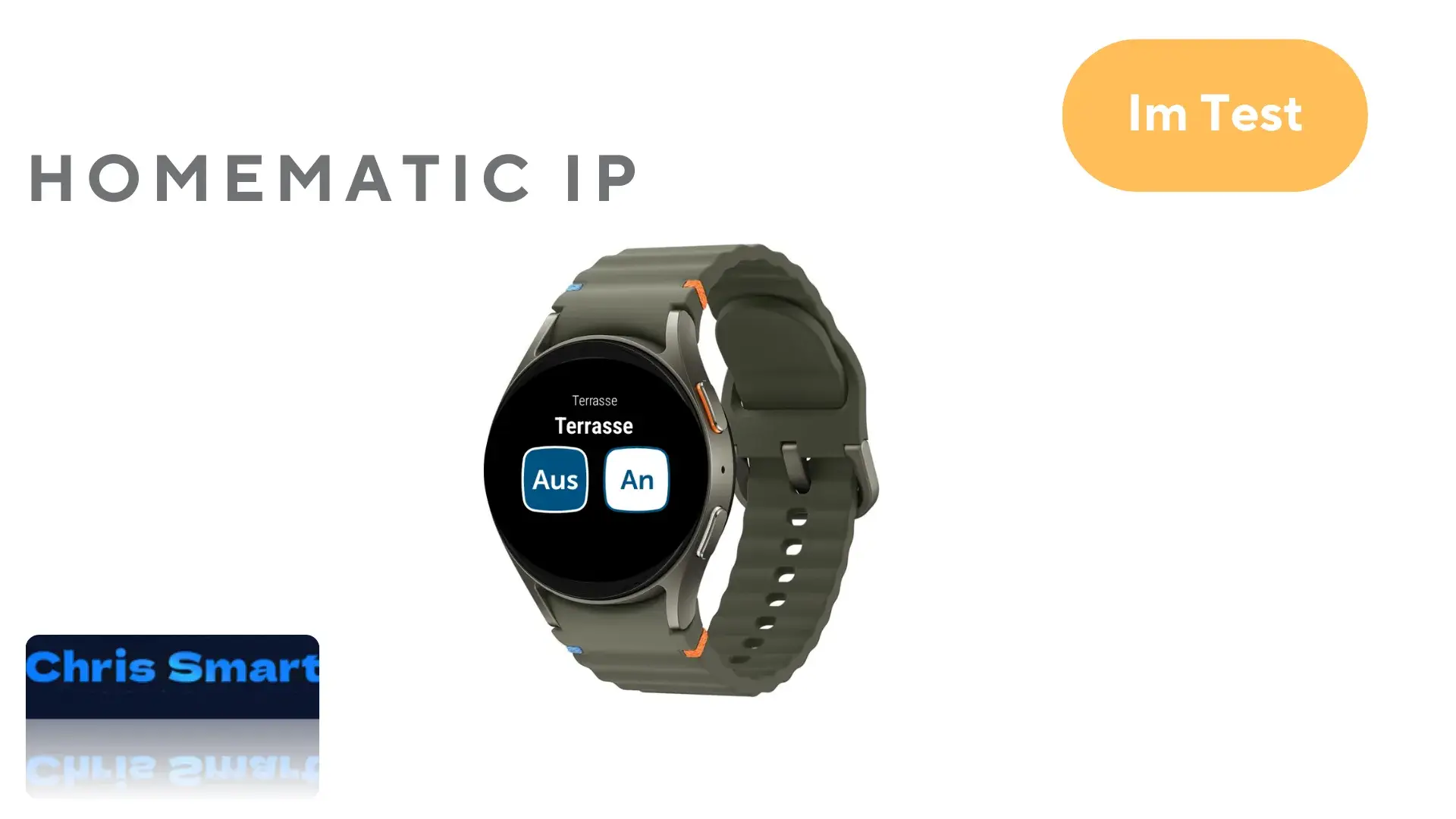
Lighting control: Control lighting from the watch through a suitable Homematic IP actuator. Selected actuators are grouped by room, the current state is highlighted in blue, and you can switch between off and on.


Controlling switching actuators: Predefined switching groups can be controlled from the watch, for example to turn on outdoor lighting for a set time. Operation is similar to lighting control.


When entering or leaving home: The front door can be opened or locked with a quick watch command. If the door lock actuator* is connected to a keypad*, however, a code must be entered on the smartwatch, which makes operation slightly more involved.


Conclusion
Smartwatch support is a major step toward greater comfort and flexibility, placing smart home controls directly on the wrist. It provides real added value for existing Homematic IP users.
However, important functions are still missing: heating thermostat control, alarm mode activation and push notifications for events such as motion detection or water leaks are not yet available.
Which other Homematic IP functions would you like on the watch? Share your suggestions in the comments.
Source/photo: (Homematic IP / Chris Smart)

Ich bin Christian und habe den Blog 2024 gegründet. Ich bin gelernter Kommunikationselektroniker, technikbegeistert und Smart-Home-Enthusiast mit langjähriger Erfahrung im Bereich vernetzter Haushaltsgeräte. Mit großer Leidenschaft verfolge ich aktuelle Entwicklungen und teste regelmäßig neue Produkte, um verständliche Einblicke und praxisnahe Empfehlungen zu geben.