Home Assistant 2026.9, the September update for the smart home platform, has arrived. While Home Assistant 2026.8 focused mainly on usability and device management, the new release concentrates on better diagnostics, improved security and modernized Modbus support.
Home Assistant 2026.9 finally explains what happened
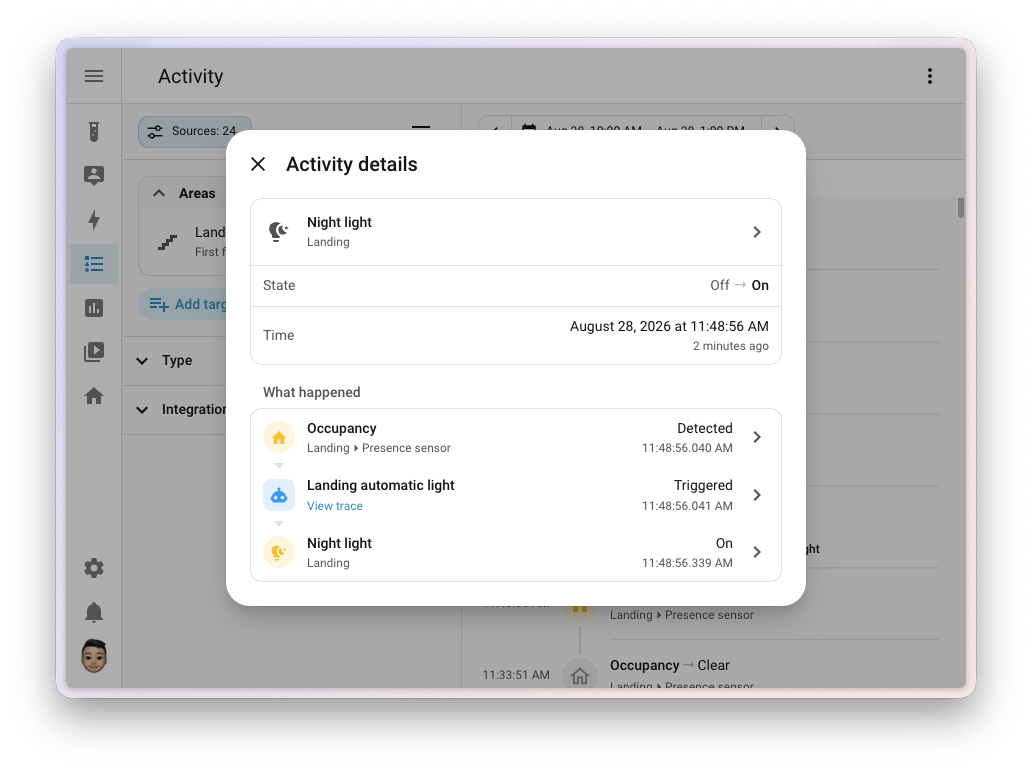
Anyone who has ever found a light suddenly switched on without knowing which automation was responsible will recognize the problem. Until now, the Activity view showed what had changed, but the exact trigger often remained unclear.
In Home Assistant 2026.9, clicking an entry opens a new detail dialog. It shows the complete sequence, from the sensor or schedule through the automations and scripts involved to the actual state change. Each step is clickable, and automation entries lead directly to the trace.
This complements the new automation features introduced in Home Assistant 2026.7, which already made it much easier to understand and create custom workflows.
Security dashboard with alerts and favorites
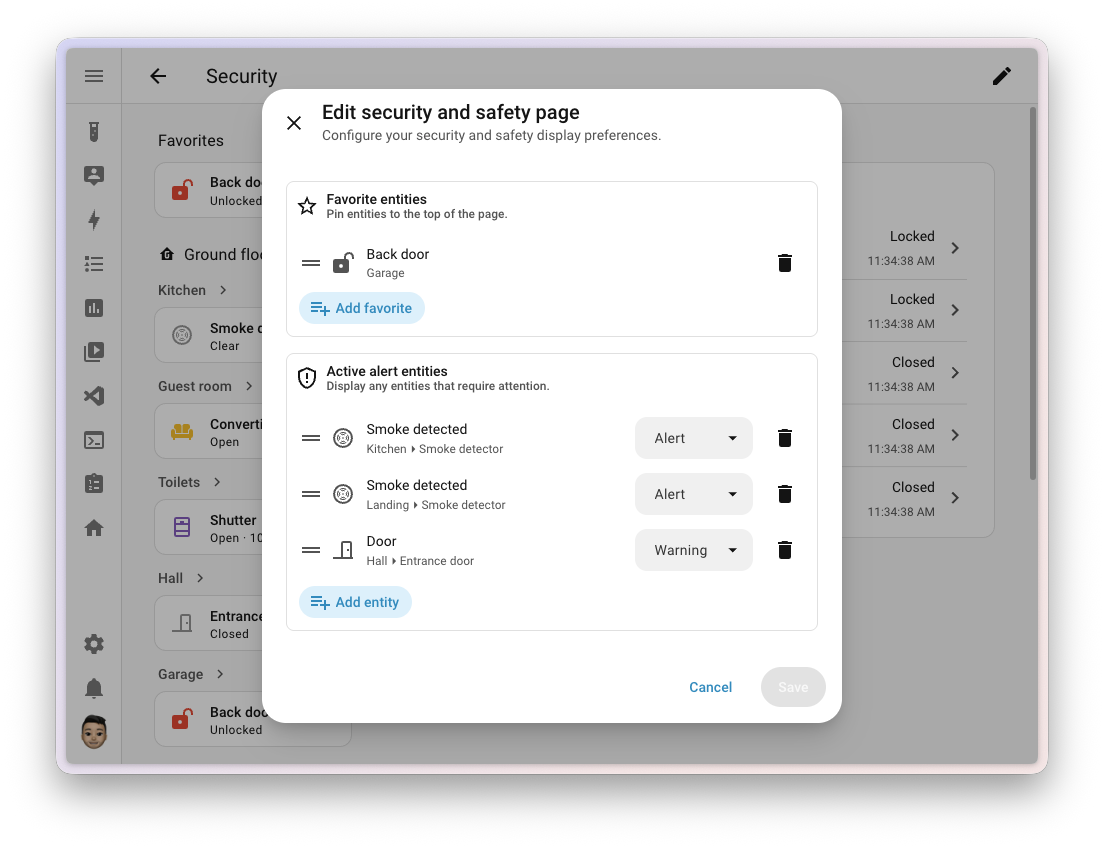
The Security dashboard is becoming more useful as well. The new “Active alerts” section only shows devices that currently need attention. This could be an open window, an unlocked door or a triggered smoke detector.
Nabu Casa Home Assistant Green
The easiest way to get started with Home Assistant – with Home Assistant preinstalled, simply connect the included power supply and Ethernet cable | Official hardware
Home Assistant Connect ZBT-2
Home Assistant Connect ZBT-2 | Connect Zigbee, Thread or Matter devices to Home Assistant | Official hardware
Nabu Casa Home Assistant Voice
Preview Edition | Smart speaker for local voice control | Compatible with Home Assistant | Privacy-focused
You can decide whether a state should appear as a warning or a critical alarm. Frequently used doors, locks and sensors can also be pinned as favorites at the top. This keeps the information that really matters in view without making the dashboard feel permanently cluttered.
Matter network map makes troubleshooting easier
One of the most interesting additions is the Matter network map. It shows directly in Home Assistant how Matter devices are connected. You can see whether a device communicates via Thread or Wi-Fi and which route its connection to Home Assistant takes.
Thread border routers, Wi-Fi access points and battery-powered end devices are displayed as well. Colors and connection lines make it easier to spot weak or unusual connections.
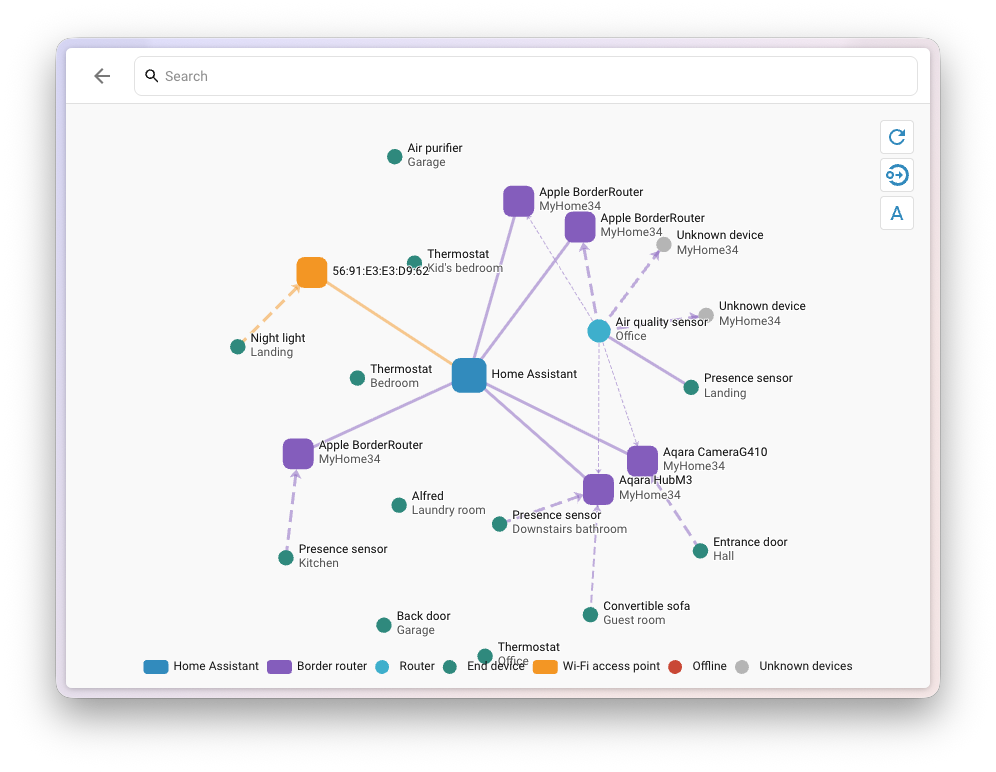
If the map does not appear, the Matter Server may need to be updated.
Modbus becomes much more modern
Modbus is not exactly a feature that immediately catches the eye. However, the interface is extremely important for inverters, heat pumps and energy meters. Until now, users often had to enter register tables in YAML themselves. This option remains available.
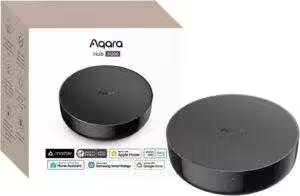
Aqara Smart Hub M200
Matter controller and Thread border router with Aqara Zigbee, Bluetooth, Wi-Fi, PoE and IR | Supports Amazon Alexa, Apple HomeKit, Home Assistant, SmartThings and Google Home
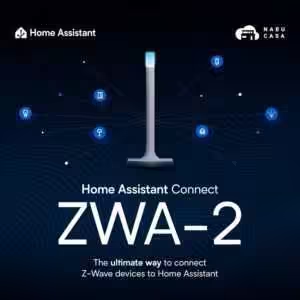
Home Assistant Connect ZWA-2
Connect Z-Wave devices to Home Assistant | Official Home Assistant hardware

SONOFF Zigbee 3.0 USB Dongle Plus MG24
Zigbee gateway with EFR32MG24, Thread & Zigbee USB dongle, Zigbee controller for Home Assistant or Zigbee2MQTT
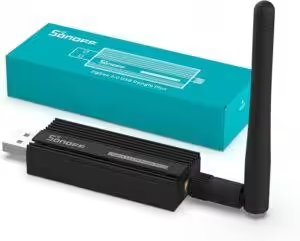
SONOFF Zigbee 3.0 USB Dongle Plus
Zigbee gateway with TI CC2652P + CP2102N Zigbee USB dongle, Zigbee hub for ZHA in Home Assistant or Zigbee2MQTT, OpenHAB and more
What is new is a technical foundation that allows integrations to already know how to communicate with a specific device. Multiple integrations can also share a Modbus connection instead of interfering with one another through parallel connections. Fronius, Flexit and Sofar Inverter Modbus are among the first implementations. This allows Fronius to provide additional readings from individual MPP trackers.
Dedicated sections for Serial and MQTT
Serial now has its own section under Settings. It shows at a glance which serial ports are in use, which are available, and which devices are expected but currently disconnected. This should be particularly helpful for Zigbee or Thread USB sticks.
MQTT also gets its own settings page. It displays the broker status and the number of discovered devices. Test messages can be sent directly from Home Assistant with a topic, QoS, retain option and payload. Home Assistant now also displays the available capacity of connected network storage. The indicator turns yellow at 85 percent usage and red at 95 percent.
Improved speech recognition and accessible charts
Home Assistant Cloud subscribers can test a new speech recognition service through the Labs section. It is based on Soniox and is designed to handle accents, background noise and non-English languages more effectively.
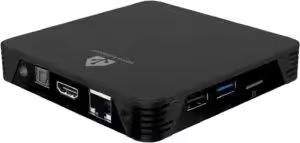
MIUCDA Home Assistant Box
Cortex-A53, 32 GB ROM, 4 GB RAM, USB 3.0 ports, HA OS host smart home hub
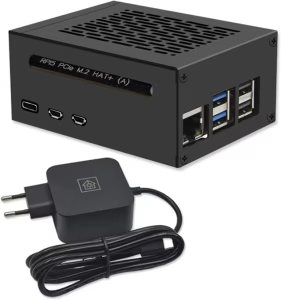
Home Assistant smart home hub
Raspberry Pi 5 8 GB | Airflow metal case | M.2 250 GB NVMe | Home Assistant OS
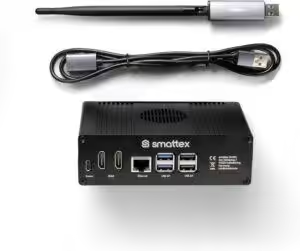
Home Assistant preinstalled, including antenna (Thread border router)
Plug & Play Set Black, Wi-Fi, Bluetooth, SSD, Matter, optional Zigbee, ready to use (4 GB RAM / 128 GB SSD)
Line and bar charts can now be operated using the keyboard. Screen readers announce individual data points. Home Assistant also generates different tones, making it possible to hear the progression of a graph.
13 new integrations
Home Assistant 2026.9 expands the platform with 13 integrations. New additions include Besen EV chargers, LibreNMS, Sofar inverters, Specialized Turbo e-bikes and Samsung TVs via ExLink.
Existing integrations are being expanded too. Shelly cameras receive broader support, Roborock gains additional dock controls, and the HomematicIP Cloud integration can read CO₂ values from compatible devices.
What to know before updating
Some changes may affect existing configurations. As the issues following Home Assistant 2026.8 and the first hotfix demonstrated, creating a current backup before a major update is always a good idea.
Source/Photos: (Amazon / Home Assistant / Chrissmart)

Ich bin Christian und habe den Blog 2024 gegründet. Ich bin gelernter Kommunikationselektroniker, technikbegeistert und Smart-Home-Enthusiast mit langjähriger Erfahrung im Bereich vernetzter Haushaltsgeräte. Mit großer Leidenschaft verfolge ich aktuelle Entwicklungen und teste regelmäßig neue Produkte, um verständliche Einblicke und praxisnahe Empfehlungen zu geben.
Hi! I’ve been reading your site for a long time now and finally got the courage to go ahead and give you a shout out from Huffman Texas!
Just wanted to tell you keep up the good job!
Hi there friends, nice post and fastidious urging
commented here, I am really enjoying by these.
Generally I don’t read post on blogs, however I wish to say that this
write-up very pressured me to take a look at and do it! Your
writing taste has been surprised me. Thank you, very nice post.